 tinyduties
How to use
Ten to twenty minutes a day is enough. You use the app; your child joins in at the table, around the house and, if you like, on a screen of their own.
1. Setting up
- Sign in: enter your email and the 6-digit code you receive. No password. On iPhone you can also sign in with Apple.
- Add your children: a name and a birth year are enough. For ages 4 to 16; starting steps are set from their age.
- Invite a family member: a partner, a grandparent, a carer… On Today, the family button at the top right → Invite a family member. Send the code; they choose I have an invite code in the app and enter it. You now share one family.
- A short tour: six pages appear the first time; open them again from the Family screen.
2. Every day: the Today screen
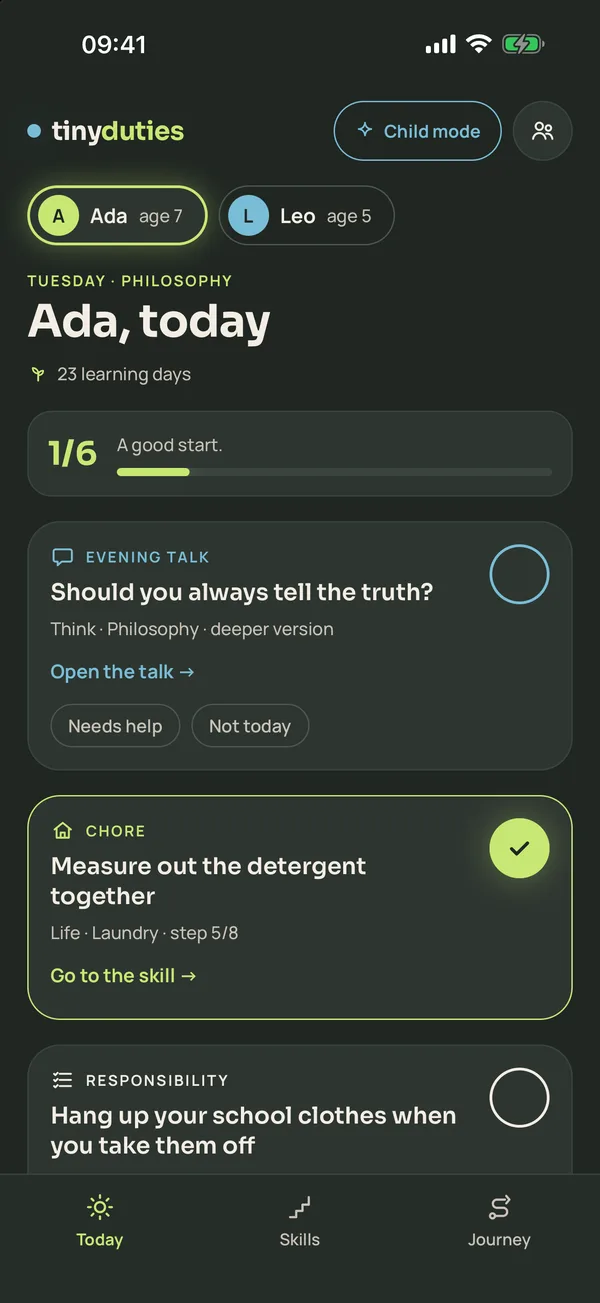
Pick a child at the top. Each child has three cards a day:
- Evening talk: a question for the dinner table.
- Chore: a job from the step they are on.
- Responsibility: a small job of their own.
Tap the circle on the right when it is done. Under each card:
- Needs help: they tried with help; asking for help is a skill too.
- Not today: the card leaves today's count and does not carry over.
- Pick another: another task from the same step.
An unfinished chore or responsibility comes back the next day as "still waiting" (choose how long on the Family screen). No streak breaks, no counter resets. The dashed bonus card is optional.
3. The evening talk
Open the talk to see the simple, deeper and teen versions; siblings talk about the same topic at their own level. There is no right answer: ask "Why do you think so?" and answer too. Write down in a few words what your child said and it goes into their life journey. Finish with We had the talk.
Monday's talk is the country of the week; pick your own from its card on Today, or add one that isn't on the list (where a relative lives, next summer's trip) with + Add a country of your own. Sunday's meal comes from its kitchen.
4. Skills
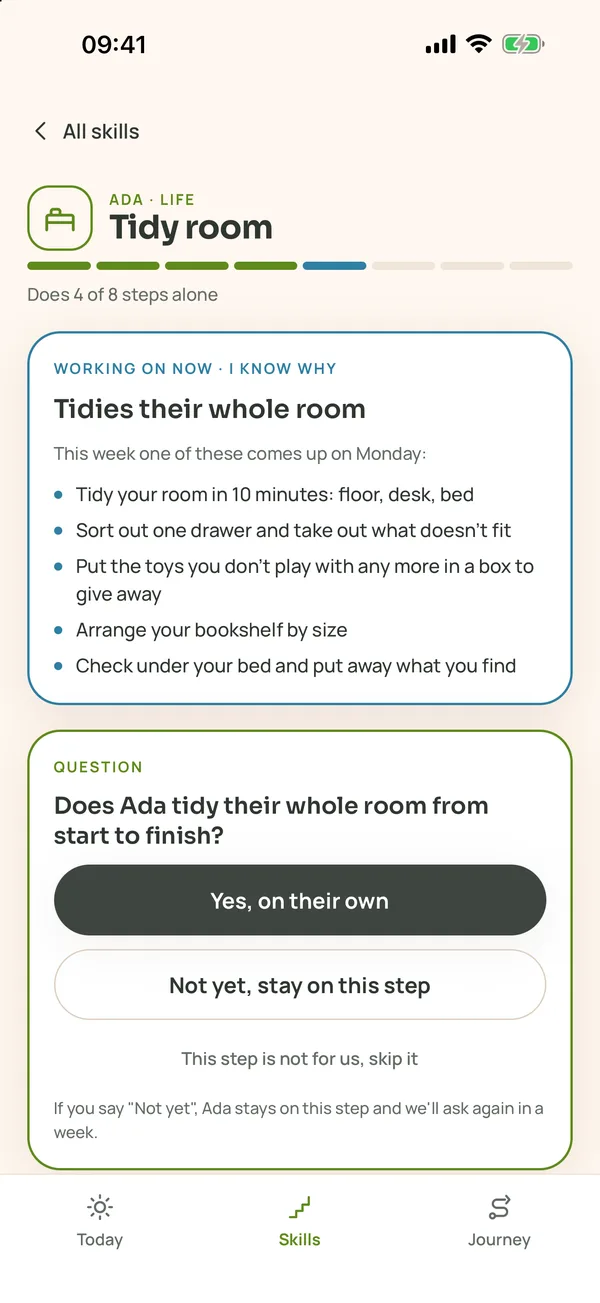
There are ten skill ladders, each reaching into the teenage years: room, laundry, kitchen, house, money, repairs, safety and first aid, travel, finding the way, social skills. Open one:
- Yes, on their own: when your child does the step without a reminder. The next step opens and the step goes into their life journey.
- Not yet: they stay on the step and we ask again in a week. Do it together first, then stand nearby, then watch from further away.
- This step is not for us, skip it: moves past it without writing it into the journey.
- Edit this ladder our way: change, remove or add steps. Your child carries on from their step, and the chore card brings your step on the same days.
Moved up by mistake? Go back one step at the bottom of the ladder. If two people say "Yes" at once, the step moves up once.
5. Goals of your own, daily missions and rewards
- + Add a goal (on Today or Skills): one step comes as a card on the days you pick. Add a step turns it into a whole new skill ladder.
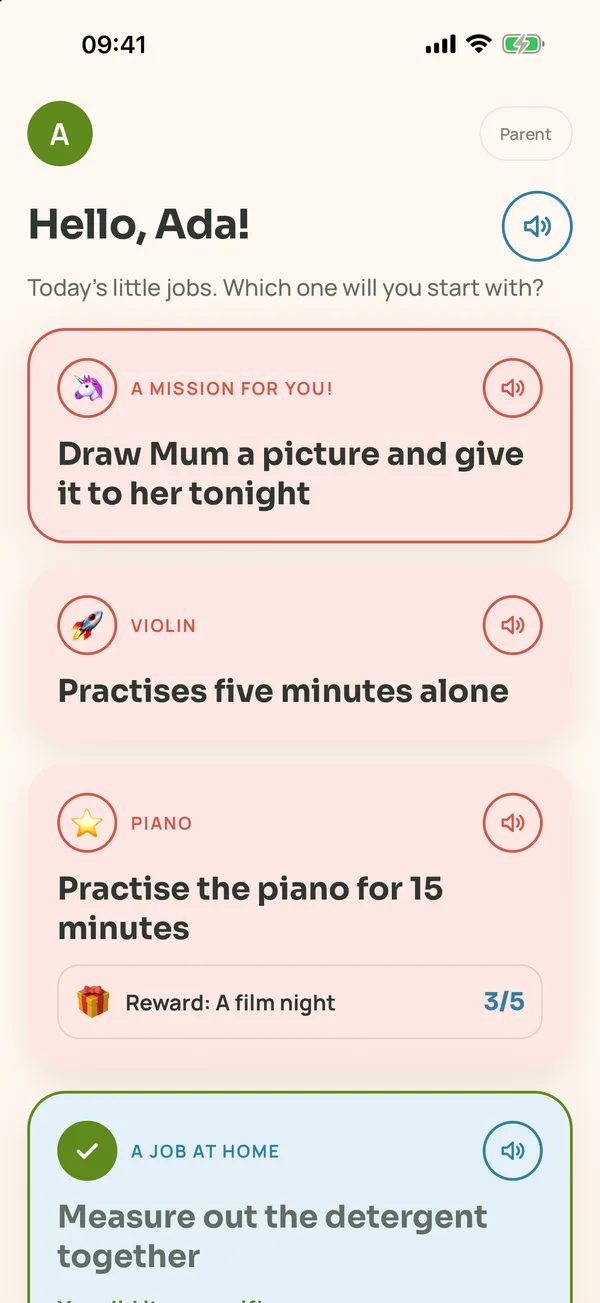
- + Today's mission for Ada: today only, for that child. Child mode opens it on top as "A mission for you!".
- Sticker: give each goal a sticker (⭐ 🚀 🦄 …). Your child earns it when it is done; stickers collect in their life journey.
- Reward (optional): write a real one, like "a film night". A task opens it after a number of times, a ladder at the top; child mode shows the progress.
- + New category: open an area of your own, like "Music" or "Calm"; it grows its own plant in the skill garden.
- With Suggest this idea to TinyDuties ticked, only the goal's name and steps reach us, without anything that identifies you; we use them to improve the app's own content.
6. Child mode
- On Today, tap Child mode. The first time, set a 4-digit exit code.
- Open it on your child's own tablet (signed in with your account there too), or on your phone for a while. It reopens in child mode even if the app is closed.
- Your child sees their cards on a big, simple screen: ✅ I did it!, 🙋 I need help, 💤 Not today.
- For children who cannot read yet: the 🔊 button on each card reads it aloud; up to age six a card reads itself as it opens.
- To leave, tap Parent at the top right and enter your code. Forgot it? A new one is sent to your email.
7. Life journey
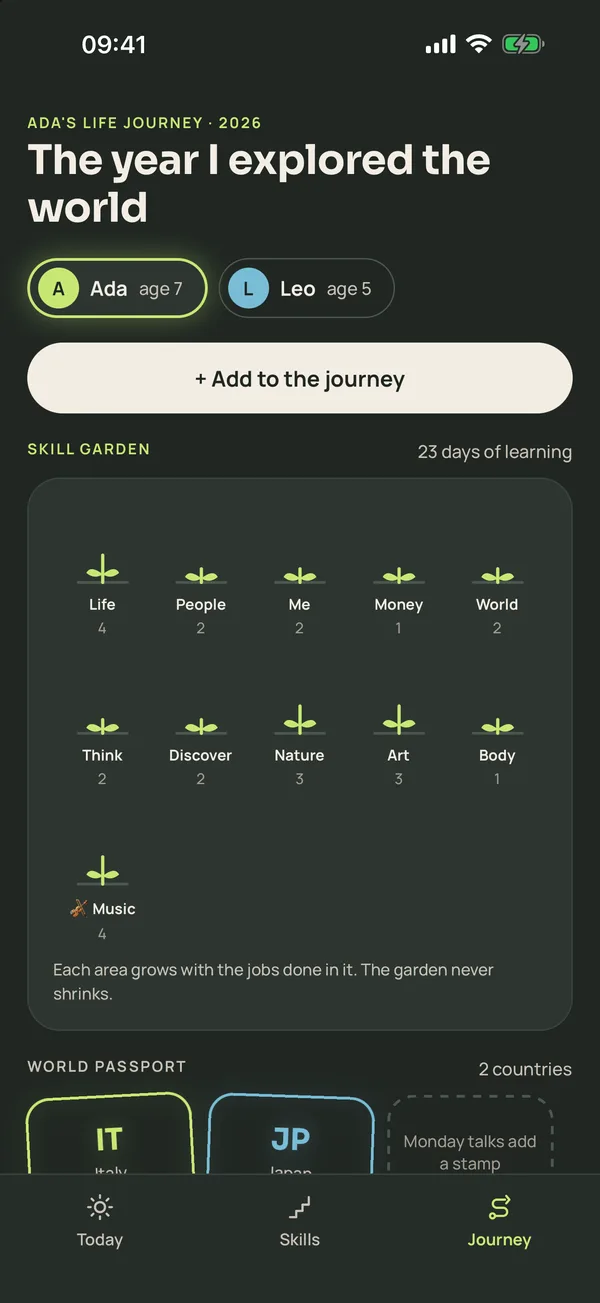
The Journey tab is your child's year: the skill garden (it grows with what they do in each area and never shrinks), the world passport (countries you talked about), stickers, places they saw, memories, what they said in your talks and everything they started doing on their own. + Add to the journey writes a memory or an outing; siblings who went together share the page.
8. Family settings
- What your child loves: the bonus card follows it every other day.
- Unfinished cards: how many days they carry over (0–3).
- Celebrations: the day's, week's and month's celebration are yours to set, all optional.
- Dil / Language: Türkçe or English.
- Delete my account is at the bottom.
9. Tips
- Ten to twenty minutes a day is enough. A missed day is not made up; carry on tomorrow.
- Don't straighten a wonky bed; the job is your child's.
- Say "Yes" when you see it happen, not when you hope it will; but don't wait too long either.
- Answer the talk questions too, and don't be afraid to change your mind.
- You will learn things alongside your child, and remember a few you had forgotten.